
Compare and merge files, folders, and documents
For Developers, Writers, and Teams
- check_circleCode-aware syntax highlighting and structure matching
- check_circleCompare Word, Excel, PowerPoint, PDF, and Zip files
- check_circle2- and 3-way merge, also for Git and other VCS
- check_circleFast with large files and folders; native ARM64
- check_circleDeveloped and supported by its author since 1997
 ExamDiff Pro for Windows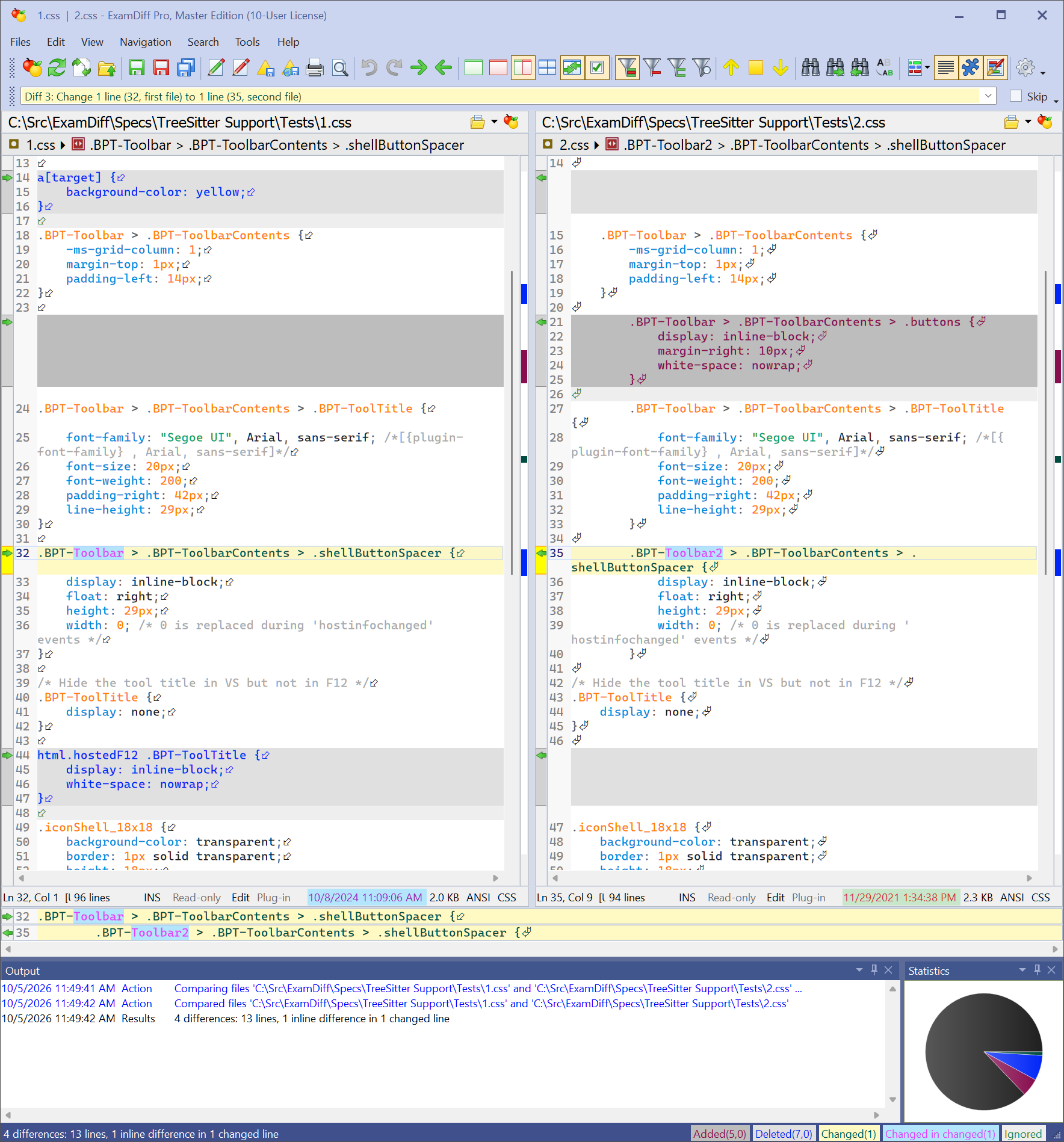
What is ExamDiff Pro?
ExamDiff Pro is a fast, visual tool for comparing and merging files, folders, and documents on Windows. It understands the code it compares, plugs into Git and other version control systems, and handles Word, Excel, PowerPoint, PDF, and Zip files. It gets a major new release every year and is trusted by professionals at Apple, Boeing, Oracle, and thousands of organizations worldwide.
Our clients
All corporate clients


New in ExamDiff Pro 17
Full version history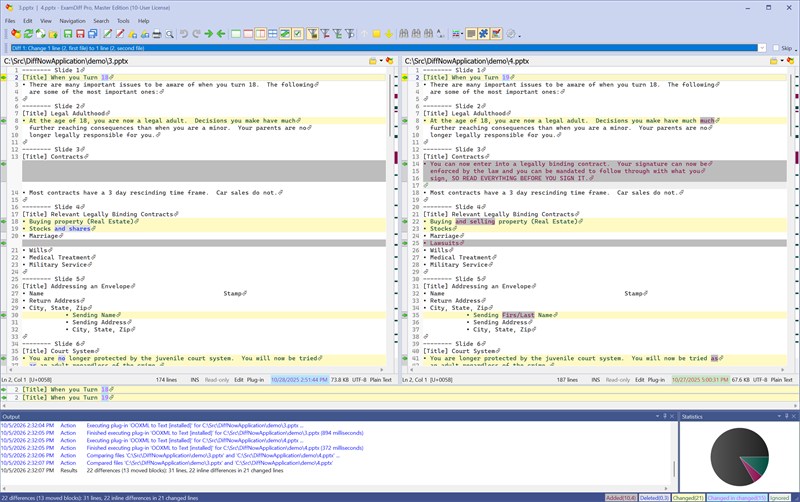
See what really changed in Word, Excel, and PowerPoint files
Rewritten Office support keeps tables, lists, comments, and footnotes, so you compare what the document says, not a flattened text dump.
How Office comparison works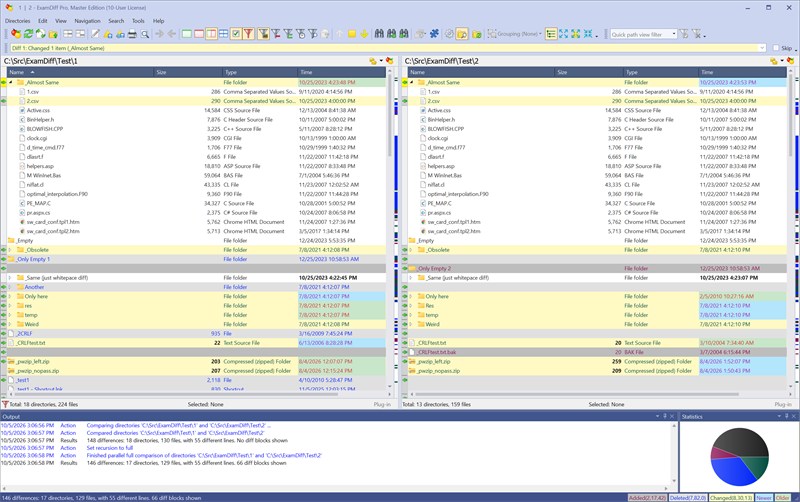
Large files and folders stay fast
Comparing and merging is significantly faster and uses less memory. Folder comparison adds a tree mode and quick byte-by-byte checks.
Everything new in version 17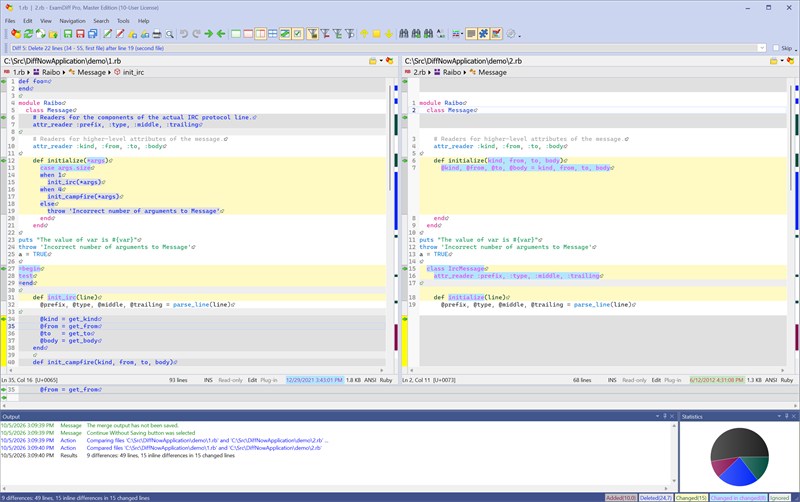
Crisper text, richer syntax styles
A new DirectWrite rendering engine draws sharper text, supports bold and italic syntax styles, and looks right on high-DPI screens.
About the new text renderingTop Features
All screenshots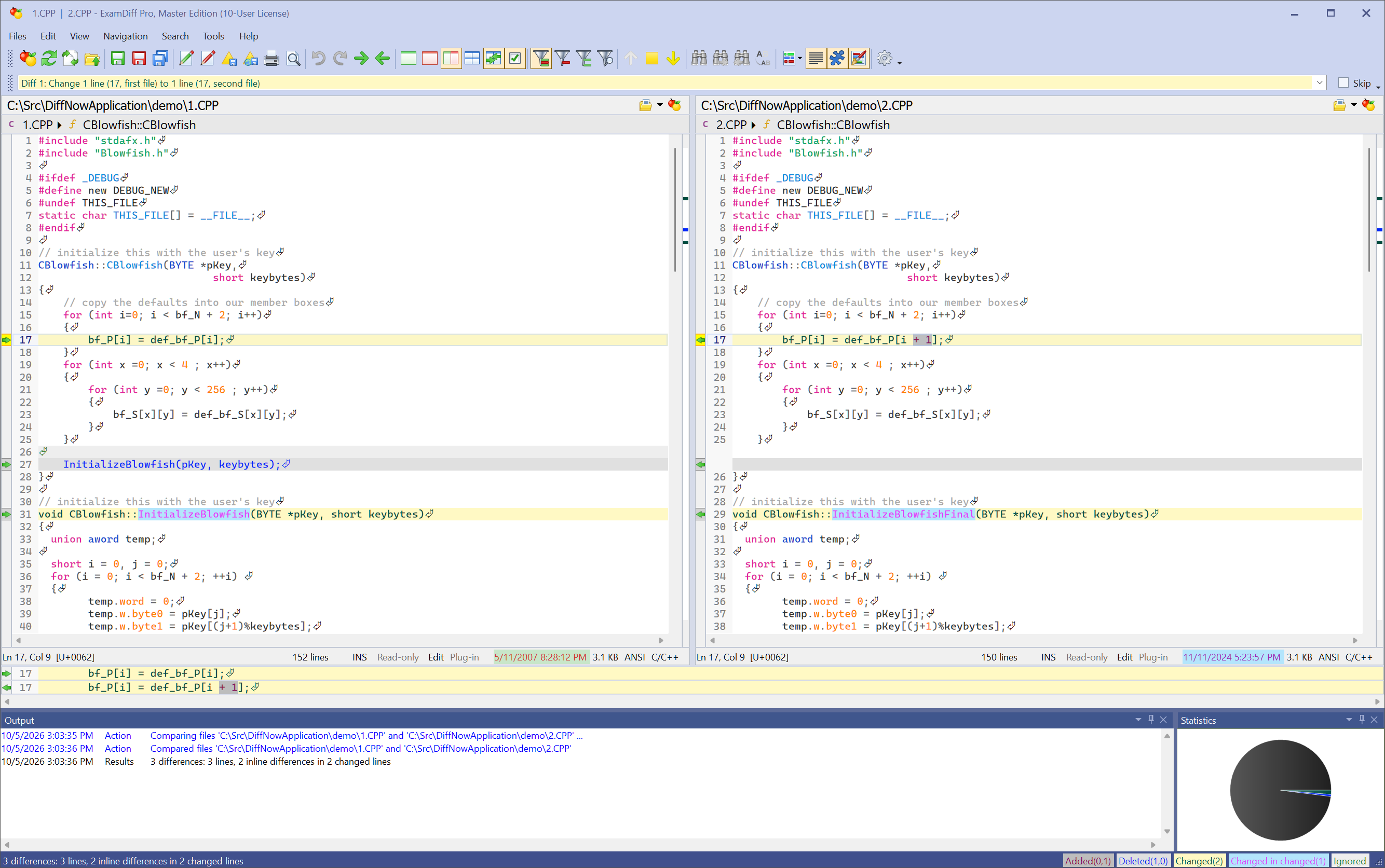 Side-by-side file comparison, with differences down to the character
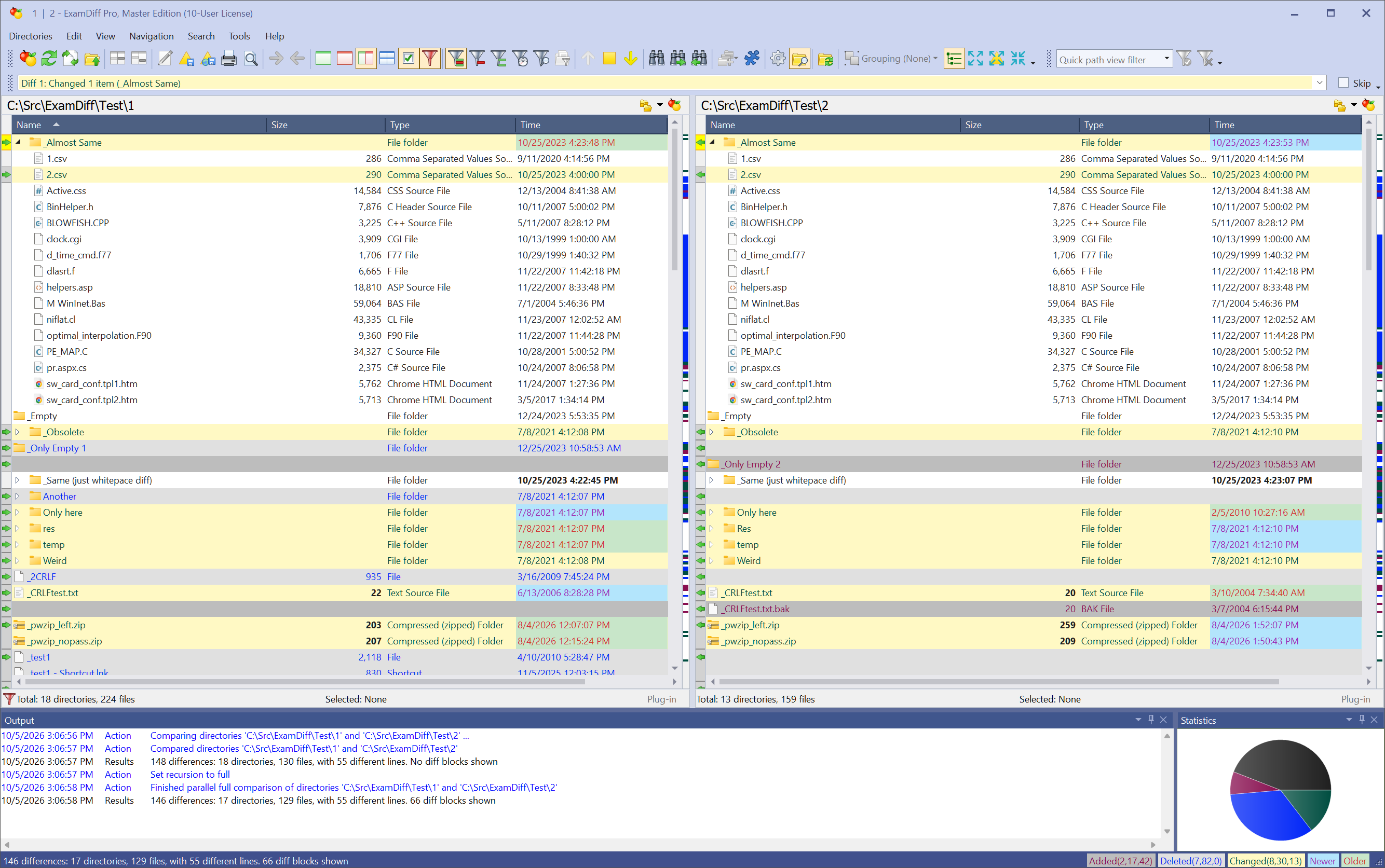 Folder comparison: flat and tree modes, filters, byte-by-byte checks
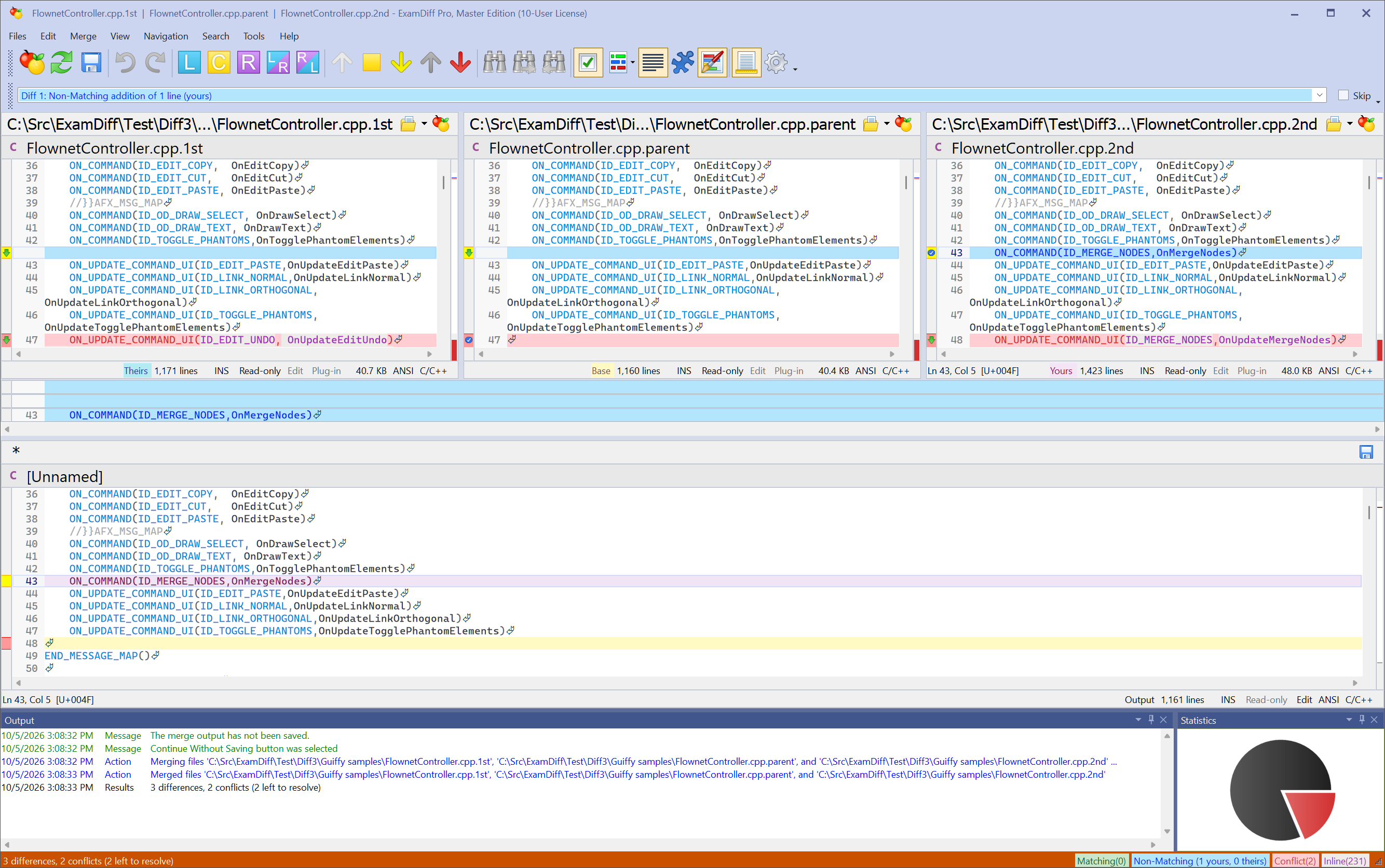 Two- and three-way merge
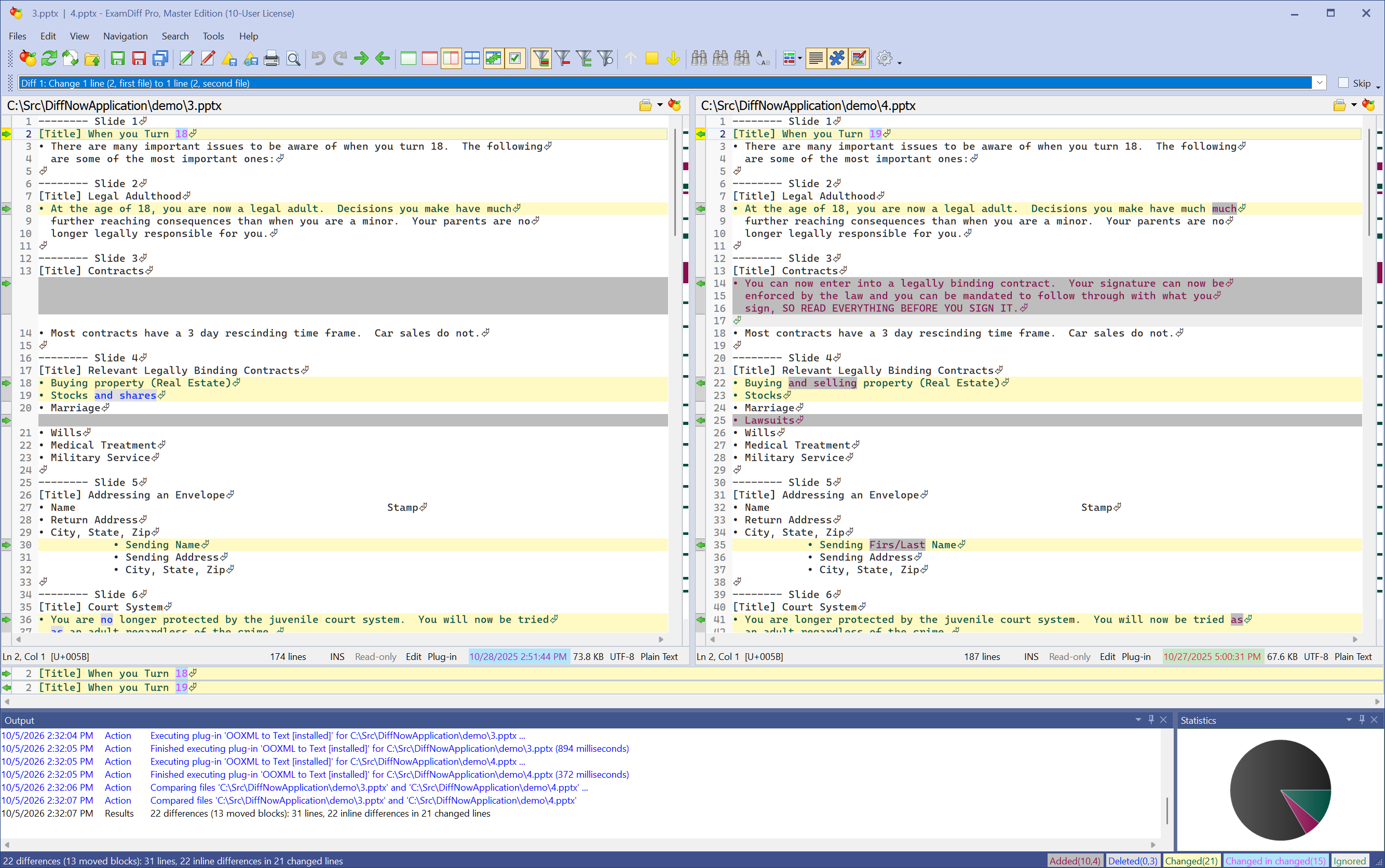 Word, Excel, PowerPoint, and PDF comparison
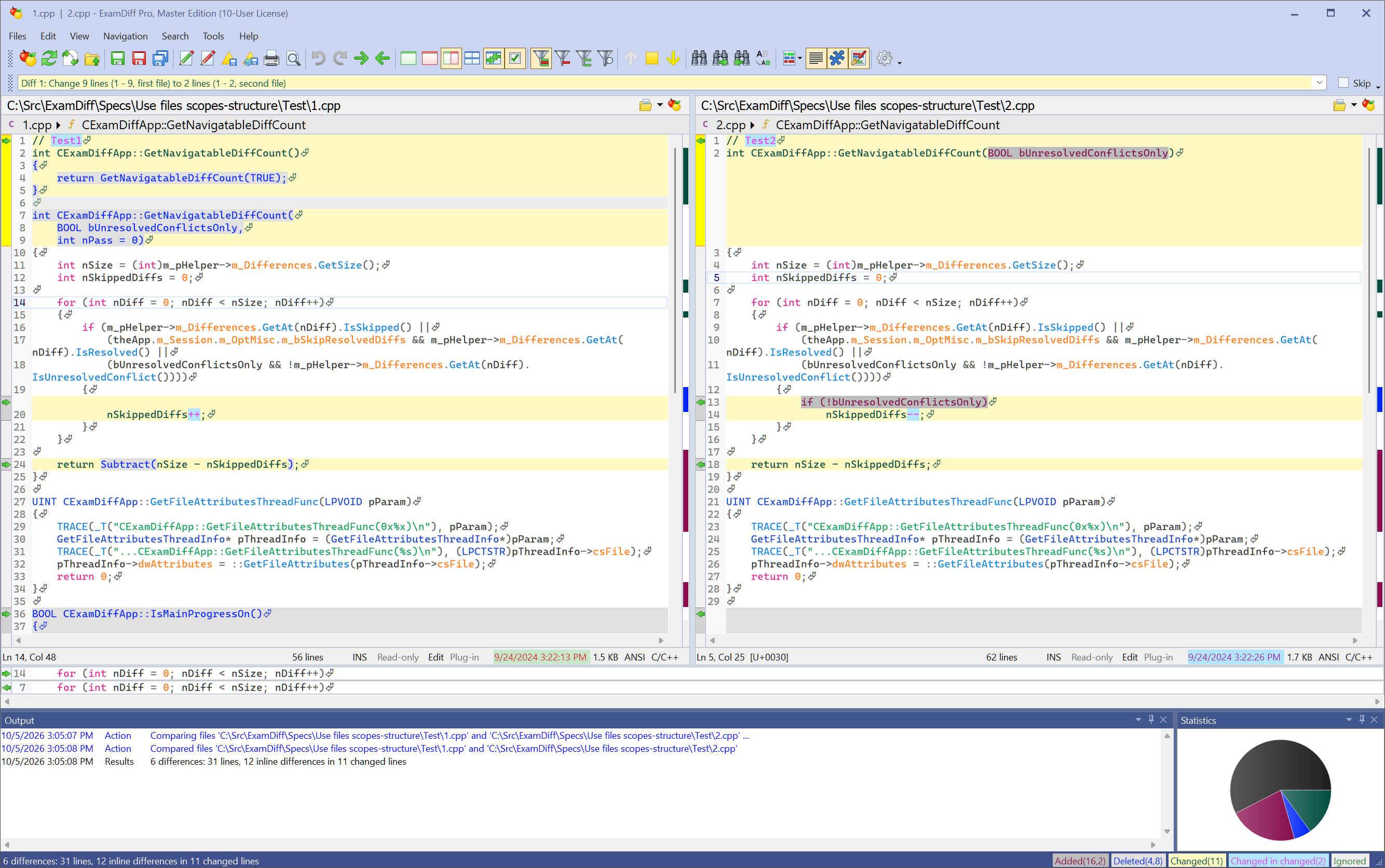 Code structure: scope bar and function matching
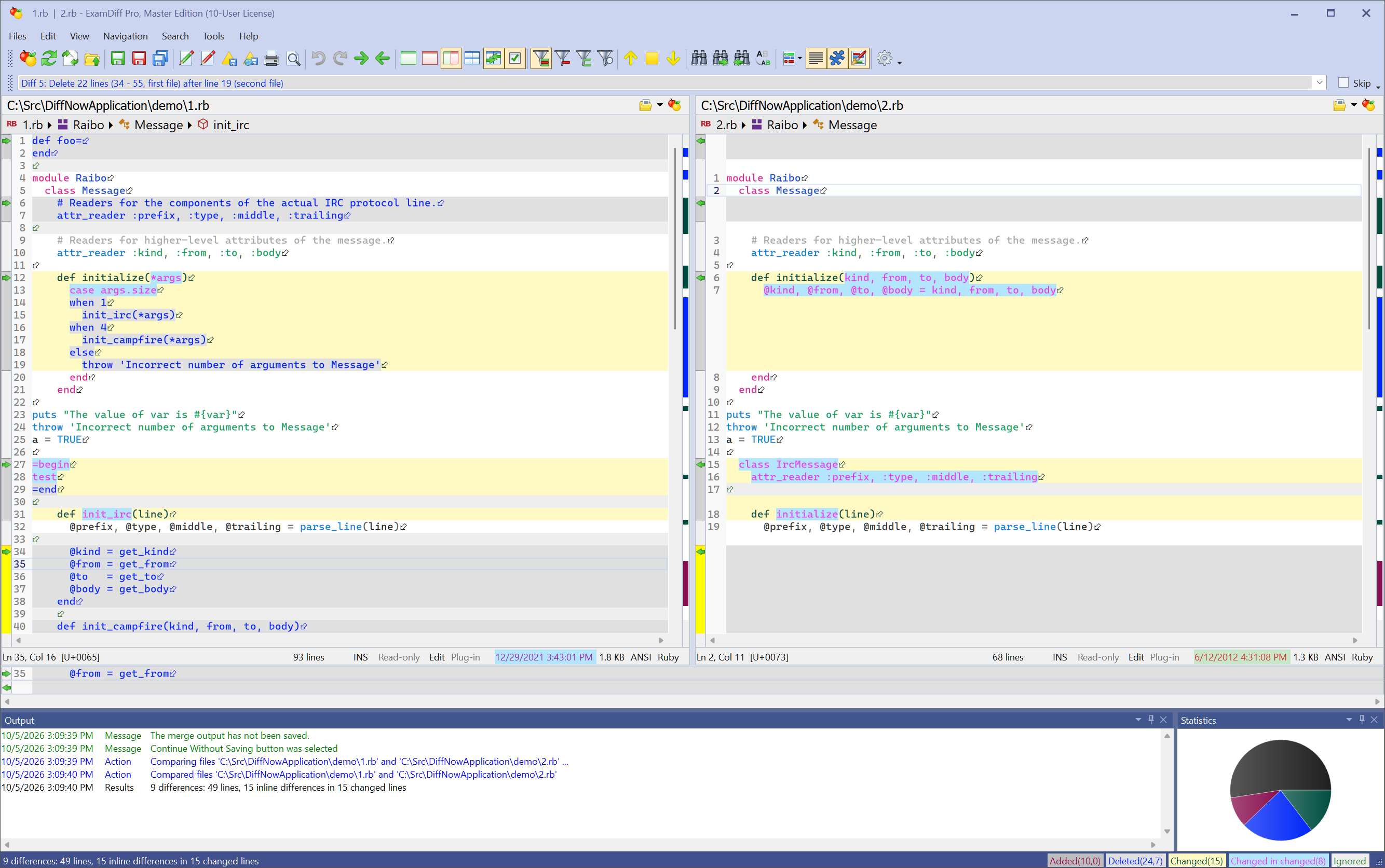 Syntax highlighting for 30+ document types
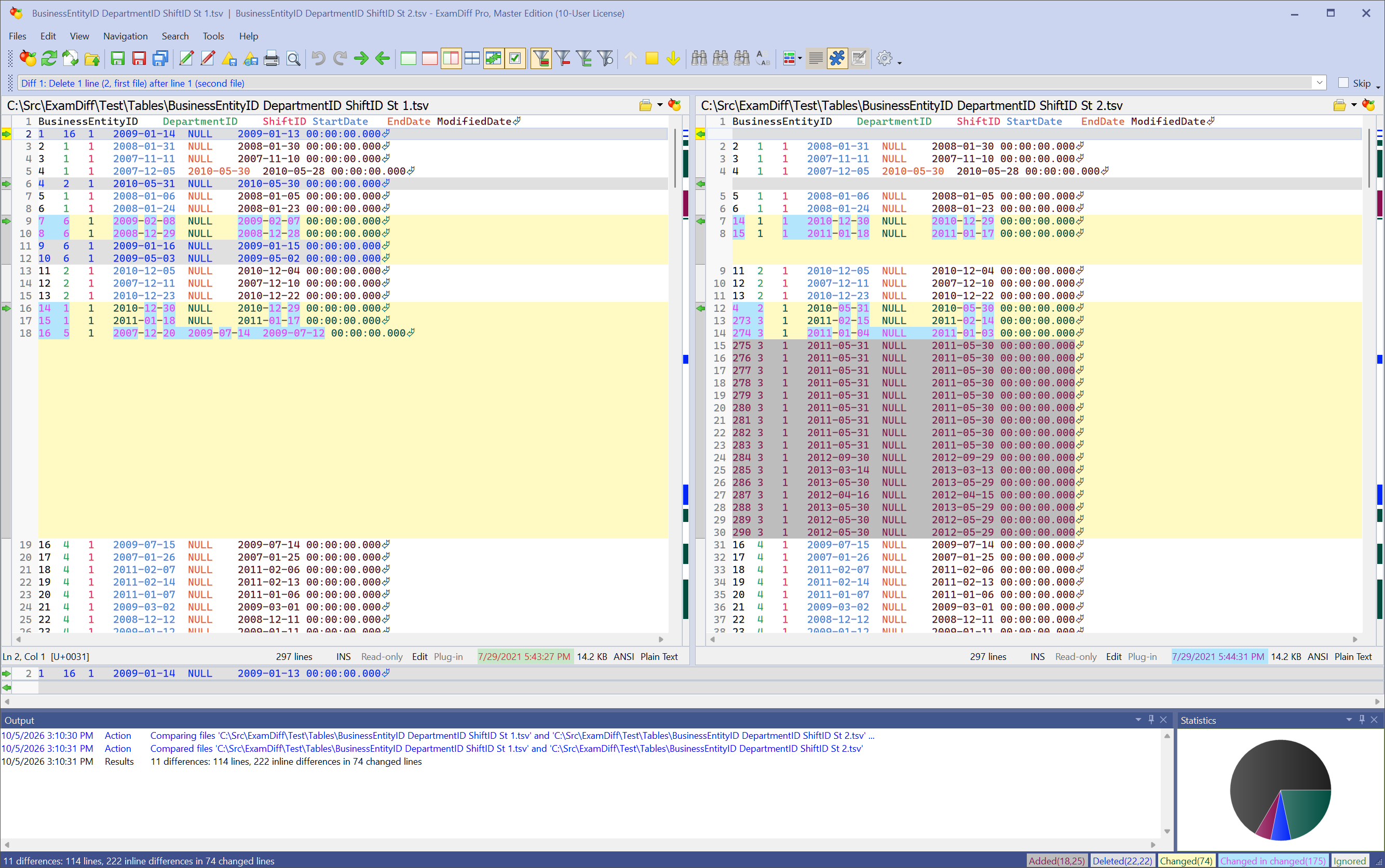 Table and CSV comparison
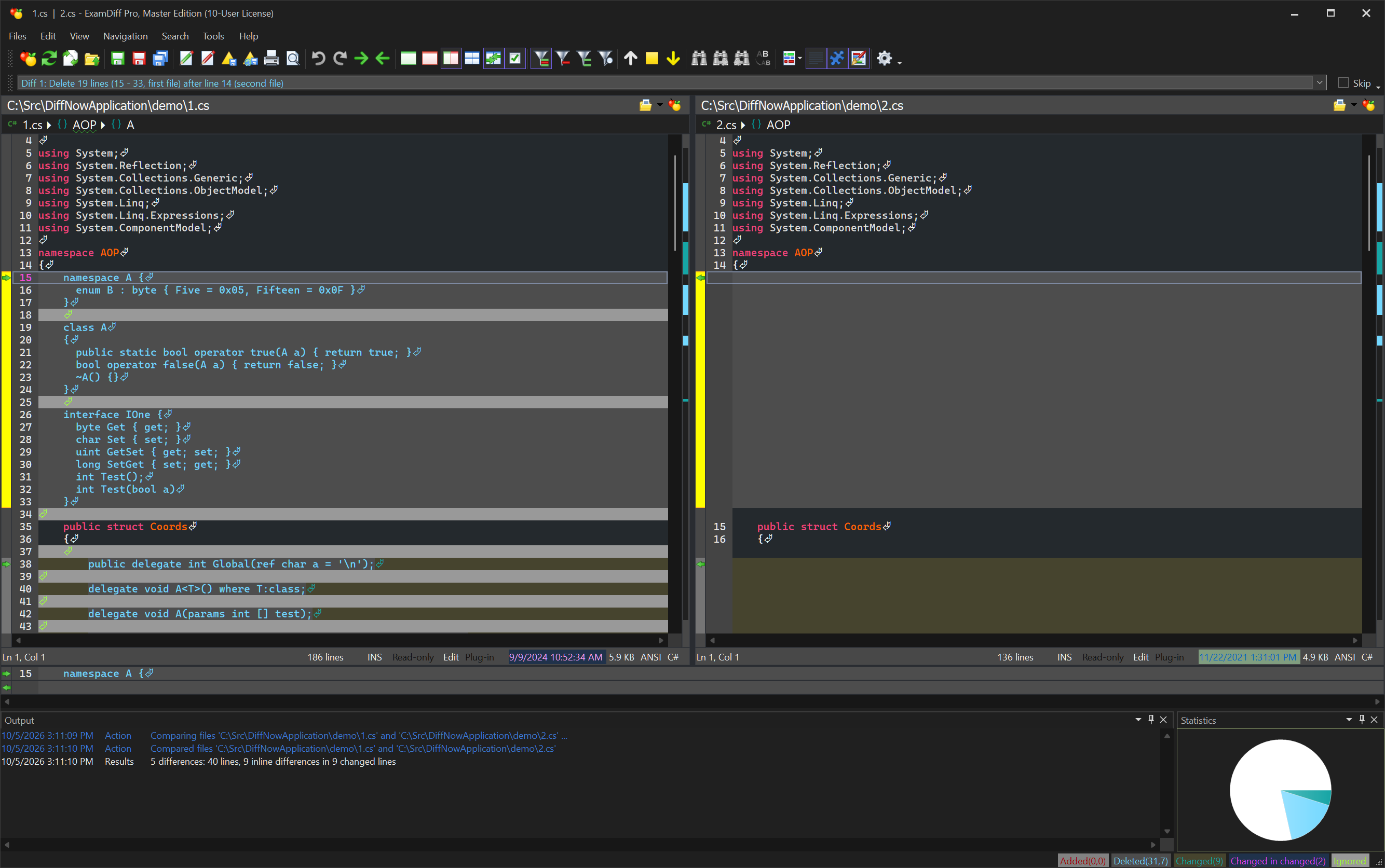 Dark theme
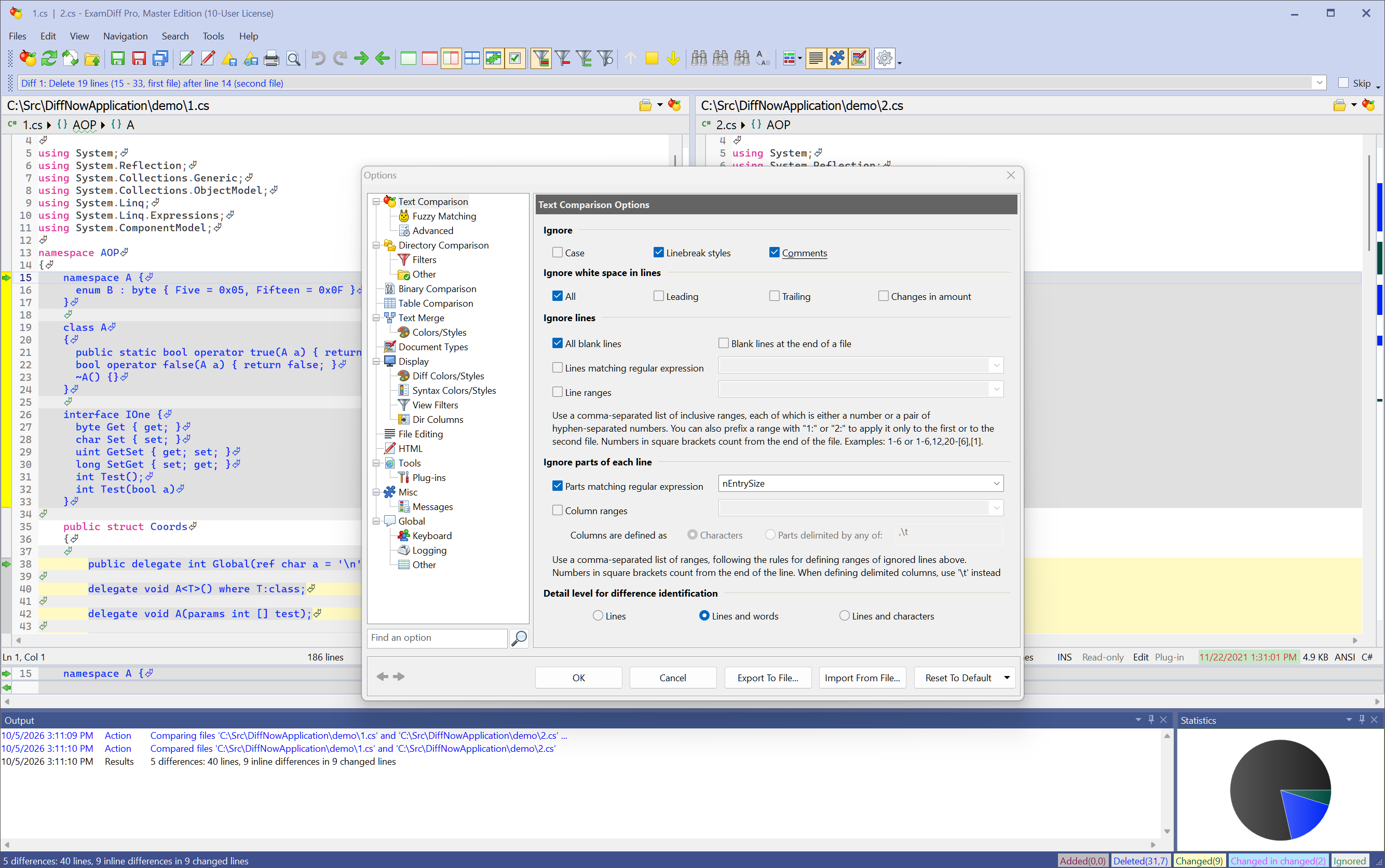 Ignore options: comments, white space, regular expressions
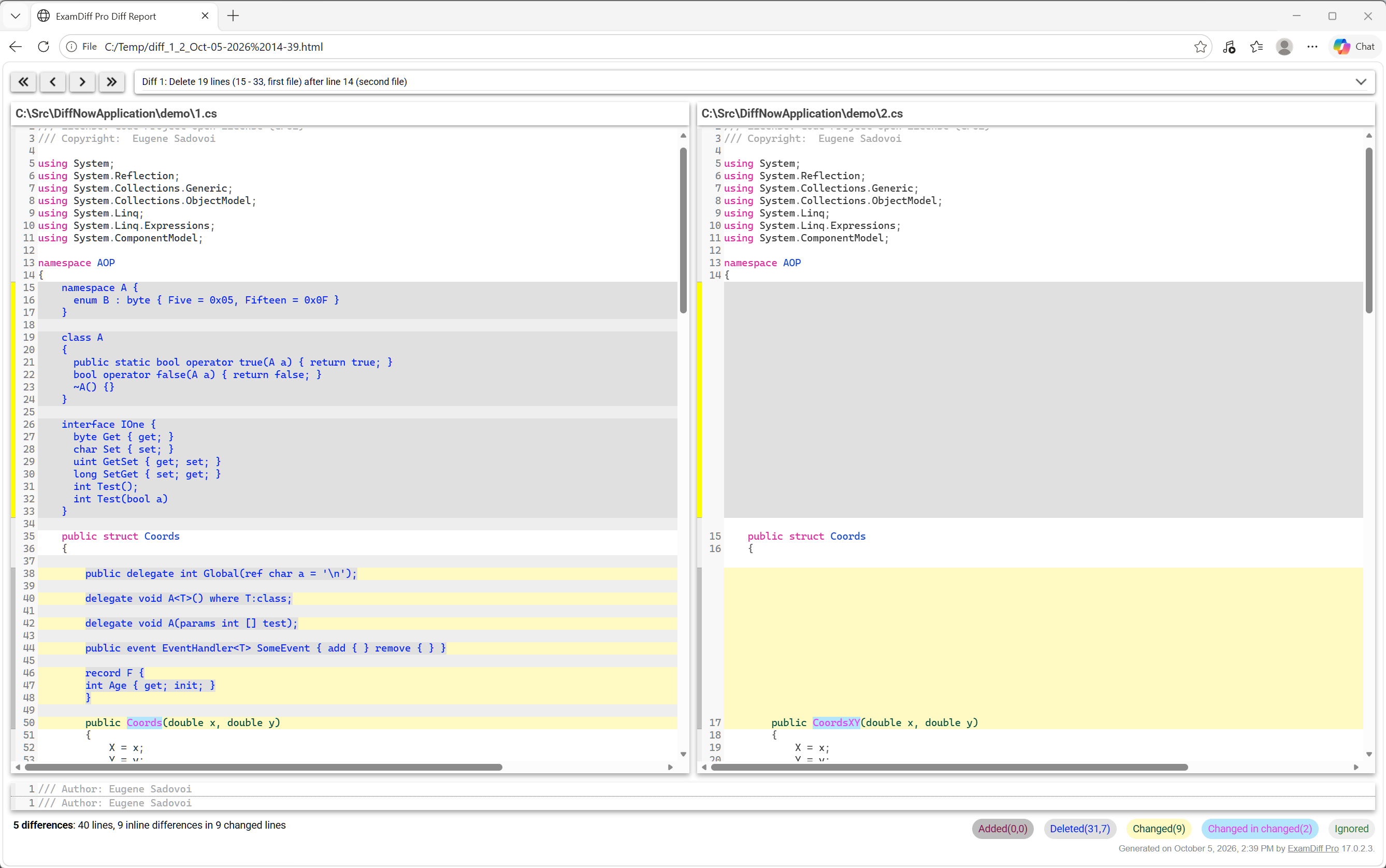 HTML diff reports and printing
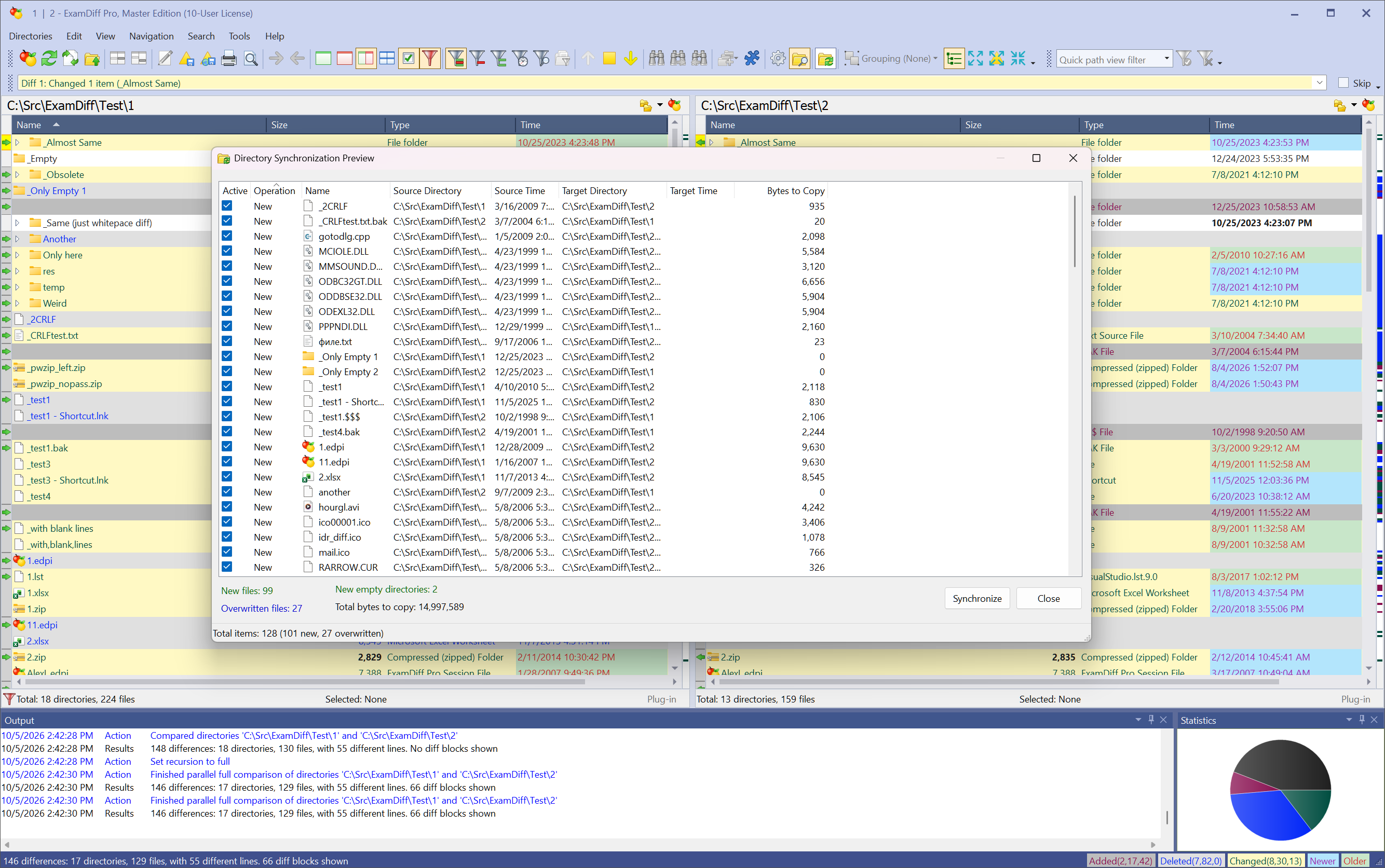 Folder synchronization
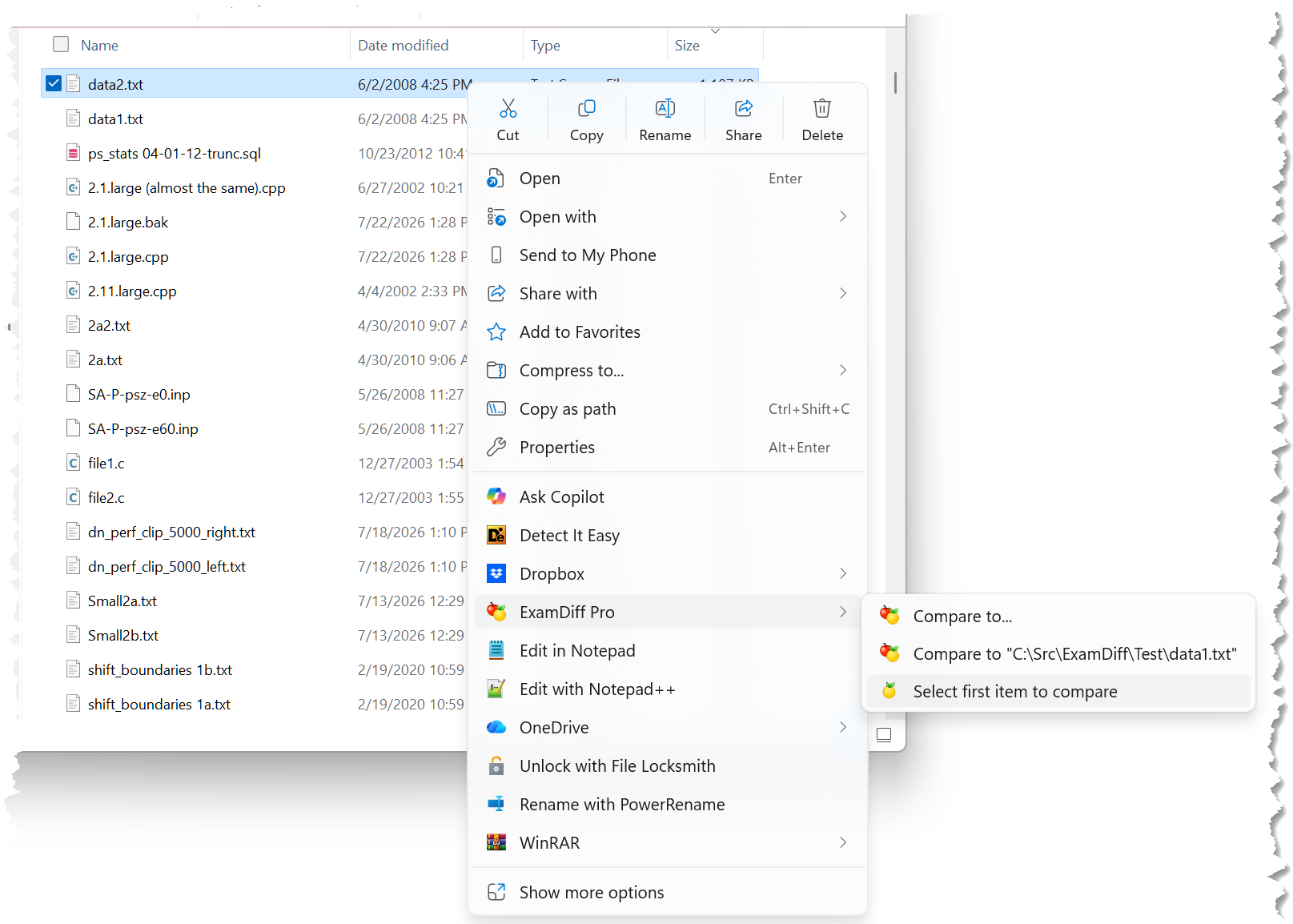 Compare directly from Windows Explorer
Benefits
codeFor developers
- Track changes in files and folders
- Perform code reviews and share HTML and printed diff reports
- Merge versions with two- and three-way diff and merge
- Ignore programming language comments to focus on what matters
- See code structure through syntax highlighting
- Compare executables (DLLs, EXEs) with binary comparison
- Compare a local folder or website to an FTP server (FTP plug-in)
edit_noteFor writers
- Compare Word, Excel, PowerPoint, and PDF documents, keeping tables, lists, comments, and footnotes
- See changes down to the word or character, not just whole lines
- Use synchronized word wrap to compare long paragraphs
- Ignore changes in white space and capitalization
- Compare texts from the clipboard, including your 25 most recent items
- Share changes with editors and reviewers as HTML or printed reports
fact_checkFor testers
- Validate test results by comparing them with a baseline
- Ignore timestamps, IDs, and other expected changes with regular expressions
- Compare whole folders of test output at once
- Compare CSV and other tabular data as tables, ignoring selected columns
- Run comparisons from scripts with the command-line interface
- Save test comparison results into reports
computerFor everyday use
- Quickly navigate through differences
- Synchronize files and folders between your PC and external media
- Create directory snapshots for future comparison and archiving
- Quickly undo mistakes by comparing with previous versions
- Drag and drop files and directories
- Compare from Windows Explorer with the built-in Shell extension
groupsFor teams and organizations
- Flexible multi-seat licensing with volume discounts
- Share diff reports and code reviews across your team
- Deploy consistently with silent install support
- Upgrade any time, even if maintenance has lapsed: no penalties
- Unlimited email support with every license
dnsFor IT and system administrators
- Compare configuration files and logs, ignoring lines that match a regular expression
- Automate comparisons with the command-line interface
- Verify copied folders with fast byte-by-byte comparison
- Compare Zip archives with folders
Testimonials
More testimonialsI downloaded about 10 file-compare utilities and tried the lot. They all either crashed, displayed garbage, or stated there were no differences between the two files... Except for ExamDiff Pro, which was the ONLY utility able to correctly handle the two files. So I registered it on the spot.
We have been using this magnificent tool for several years. Almost every day it helps us solve our daily tasks very efficiently with minimal effort. ExamDiff is one of the best comparison utilities on the market, if not THE best.
ExamDiff Pro remains the best file comparison tool I've used. This tool has saved me hours of work and ensured that the changes I make are accurate.
Comparing diff tools? See ExamDiff Pro vs Beyond Compare and vs WinMerge.